
Setting Up Your Email on DirectAdmin:
Step 1: Accessing DirectAdmin: First things first, log in to your DirectAdmin dashboard. You can do this by visiting:
- https://your-domain.com:2222
- Or, you might use:
- https://IP-address:2222
- https://server-hostname:2222

Step 2: Navigating to the Email Section: Once you’re in, look for a section labeled ‘Email Manager‘ >> ‘E-mail Accounts‘.

Step 3: Establishing a New Email Account:
- Opt for the ‘Create Account’ option.

- Specify your desired email address (e.g., admin@yourwebsite.com) and designate a secure password. Ensure adherence to best practices for password security.
- Confirm by clicking on Create Account.
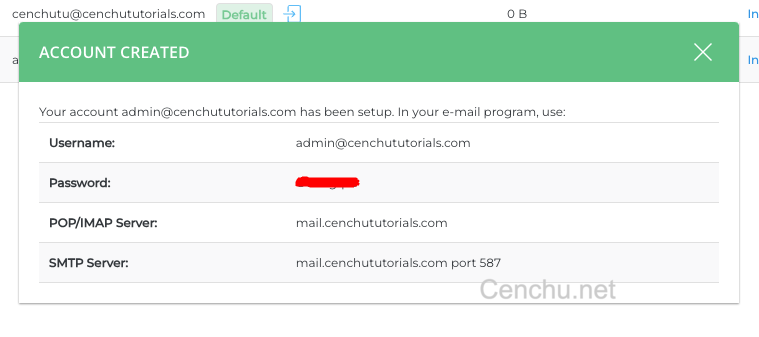
Step 4: Success: Congratulations! You’ve successfully modified the created E-mail account in DirectAdmin.
Conclusion:
Managing email accounts in DirectAdmin is a straightforward process, thanks to its intuitive design. With this guide, you’re equipped to handle all your email management needs on the Cenchu platform. Should you encounter any challenges or have further queries, our dedicated Cenchu support team is always on standby to assist.